.png)


Essential Graphics Card Selection Tips for Your Next PC Build

Choosing the right graphics card can feel like navigating a maze. With so many options, specs, and prices, it’s easy to get overwhelmed. But don’t worry - I’m here to guide you through the process with clear, simple advice. Whether you’re upgrading your home PC, setting up a workstation, or building a gaming rig, picking the right graphics card is crucial for smooth performance and long-term satisfaction.
Let’s dive into the key factors you need to consider, practical tips, and some insider knowledge to help you make the best choice.
Understanding Graphics Card Selection Tips
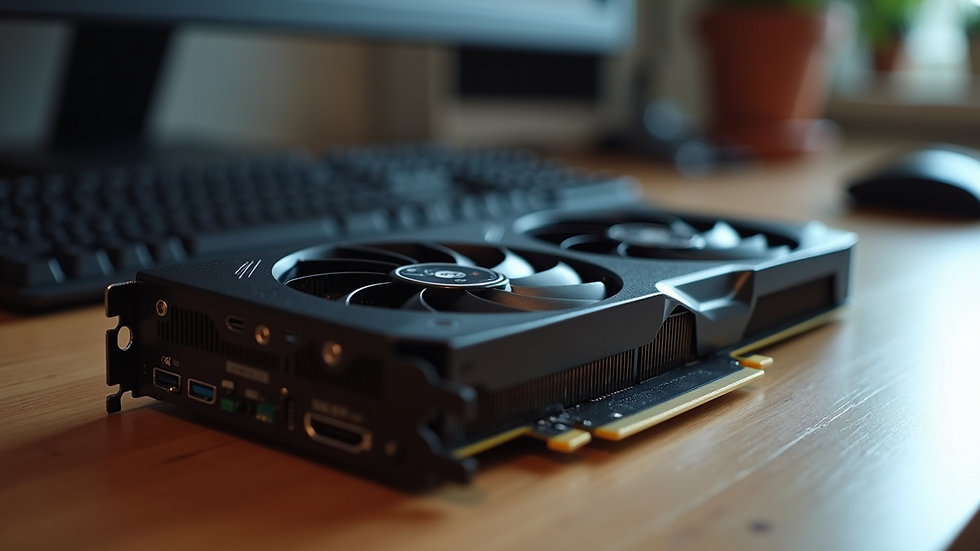
Before you start comparing models, it’s important to understand what a graphics card does and why it matters. Think of the graphics card as the artist of your computer. It takes the raw data from your CPU and paints the images you see on your screen. The better the artist, the smoother and more detailed the picture.
Here are some key points to keep in mind:
Performance: This is how fast and efficiently the card can process graphics. It affects gaming, video editing, 3D rendering, and even everyday tasks like watching videos.
Memory (VRAM): This is the card’s workspace. More VRAM means it can handle bigger textures and more complex scenes without slowing down.
Compatibility: Your card must fit physically in your PC case and work with your motherboard and power supply.
Budget: Graphics cards range from budget-friendly to premium. Knowing your needs helps you avoid overspending.
Future-proofing: Technology evolves fast. Choosing a card that can handle upcoming software and games is smart.
By focusing on these areas, you’ll narrow down your options and find a card that fits your needs perfectly.

How to Choose the Right Graphics Card: Practical Tips
Now that you know what matters, let’s get into some actionable tips to help you pick the right card.
1. Identify Your Primary Use
Are you a casual user, a student working on design projects, a professional editing videos, or a gamer? Your use case determines the power you need.
Basic tasks (web browsing, office apps): Integrated graphics or entry-level cards like NVIDIA GT series or AMD Radeon RX 550 are enough.
Creative work (photo editing, 3D modeling): Mid-range cards like NVIDIA GTX 1660 or AMD RX 6600 XT offer good performance.
Gaming: For 1080p gaming, cards like NVIDIA RTX 3060 or AMD RX 6600 XT work well. For 1440p or 4K, consider RTX 3070/3080 or AMD RX 6800/6900 XT.
Professional workloads (CAD, video editing): Look for workstation cards like NVIDIA Quadro or AMD Radeon Pro, or high-end gaming cards with more VRAM.
2. Check Your PC’s Compatibility
Before buying, measure your PC case and check the card’s length and width. Also, verify your power supply’s wattage and available connectors. A powerful card needs a strong power supply.
3. Consider VRAM Size
VRAM is crucial for handling textures and complex scenes. Here’s a quick guide:
4GB VRAM: Suitable for basic gaming and everyday use.
6GB-8GB VRAM: Ideal for most modern games and creative apps.
10GB+ VRAM: Best for 4K gaming, professional video editing, and 3D rendering.
4. Look at Cooling Solutions
Graphics cards generate heat. Good cooling means better performance and longer lifespan. Cards with dual or triple fans and efficient heat sinks are preferable.
5. Read Reviews and Benchmarks
Don’t just trust specs. Look for real-world performance tests and user reviews. They reveal how a card performs under different conditions.
6. Keep an Eye on Prices and Deals
Prices fluctuate due to demand and supply. Watch for sales or bundles. Sometimes last-generation cards offer great value.
By following these tips, you’ll make a confident choice that fits your needs and budget.
Is RTX 30 or 40 Better?
The NVIDIA RTX 30 and 40 series are popular choices, but which one should you pick? Here’s a straightforward comparison.
RTX 30 Series
Launched in 2020, the RTX 30 series brought major improvements in ray tracing and AI-powered features.
Cards like RTX 3060, 3070, and 3080 offer excellent performance for 1080p and 1440p gaming.
They are generally more affordable now due to the release of the 40 series.
Power consumption is moderate but can be high on top-end models.
RTX 40 Series
The RTX 40 series is the latest generation, offering better performance and efficiency.
Features improved ray tracing, DLSS 3.0, and faster AI processing.
Ideal for 4K gaming and demanding creative workloads.
Higher price point but better future-proofing.
Which One to Choose?
If you want value for money and solid performance, RTX 30 series cards are still excellent.
If you want cutting-edge tech and plan to game or work at 4K or higher settings, RTX 40 series is worth the investment.
Consider your budget and how long you want your card to last before upgrading.
Why a Good Graphics Card Matters for Your Work and Play
A graphics card isn’t just for gamers. It impacts many areas of computing:
Smooth video playback: Avoid choppy videos and enjoy high-resolution streaming.
Faster rendering: Creative professionals save hours with a powerful GPU.
Better multitasking: Some cards help with multiple displays and high-res monitors.
Enhanced security: Modern GPUs support encryption and secure computing features.
Improved productivity: Faster graphics mean less waiting and more doing.
At Next Computers, we understand how important it is to have reliable hardware. We help you choose and install the right graphics card so your system runs smoothly with minimal downtime.
Where to Find Reliable Graphics Card Support
Buying a graphics card is just the start. Installation, driver updates, and troubleshooting are equally important. That’s where professional support comes in.
We offer hardware repair and system upgrades to keep your PC in top shape.
Our software installation ensures your drivers and apps work perfectly.
We provide networking and security services to protect your data.
Our team is ready to help with data recovery if things go wrong.
If you want to learn more about graphics cards and how to pick the right one, check out this graphics card guide.
Choosing the right graphics card is a smart investment in your productivity and enjoyment. With the right info and support, you’ll get the best value and performance for your needs.
Feel free to reach out to us at Next Computers for expert advice and affordable solutions tailored to your setup. Your perfect graphics card is just a call away!


Comments